
How to Connect Grok to dfin.pro MCP

Grok can answer broad questions on its own, but connecting it to dfin.pro lets it reach for current financial data when your prompt needs filings, fundamentals, ratios, screens, or company context. Once the connector is in place, you can ask Grok to compare companies, inspect recent earnings, or build a quick investment research view using dfin.pro data instead of relying only on general model knowledge.
This guide walks through the Grok website setup. It only takes a couple of minutes.
Security - Avoid leaks
Before you begin, keep your API key private. Grok's custom connector setup uses the dfin.pro API key inside the server URL you paste during setup. That URL is unique to your account, so treat it like a password.
Avoid sharing it in screenshots, copied configs, emails, or support tickets. If you think your URL has been exposed, regenerate your API key from your dfin.pro account settings before reconnecting.
Add the connector
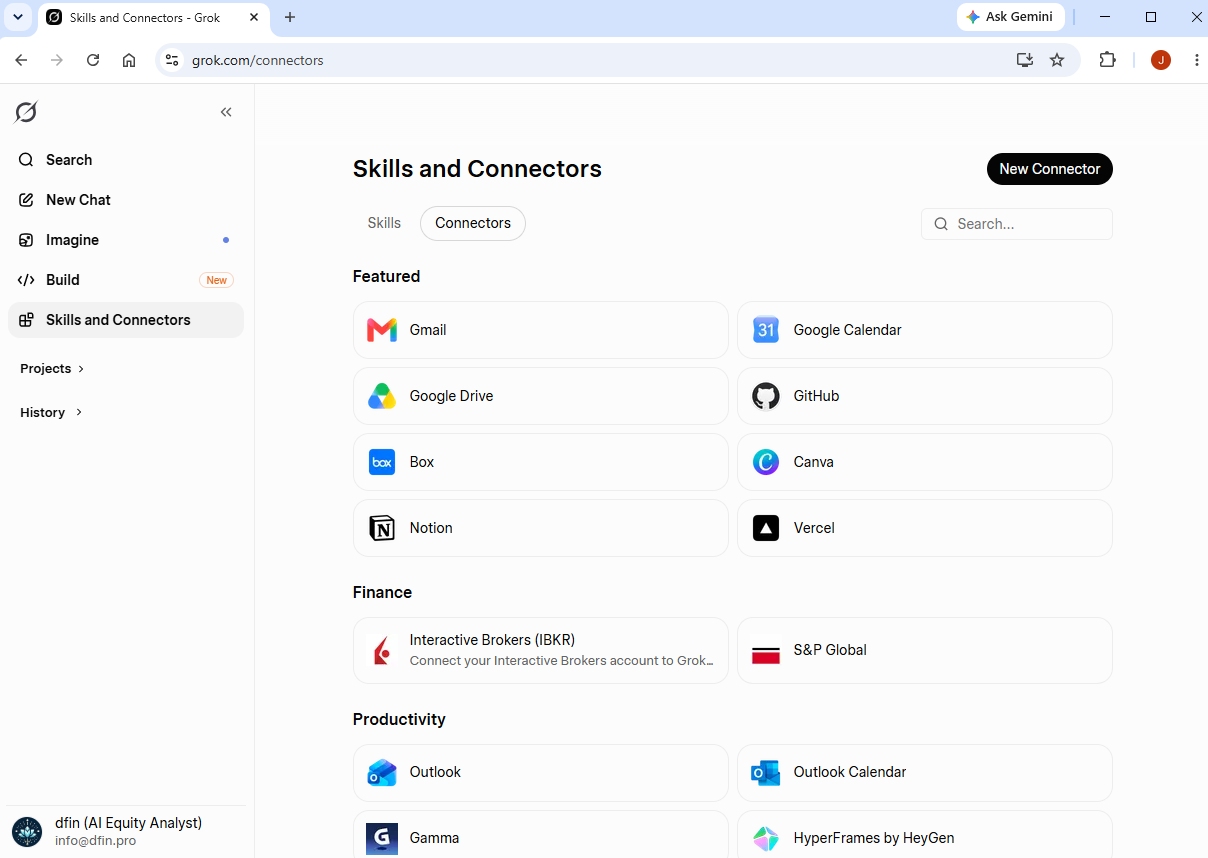
On the grok.com website, make sure you're signed in. Select Skills and Connectors on the left, then click New Connector at the top right.
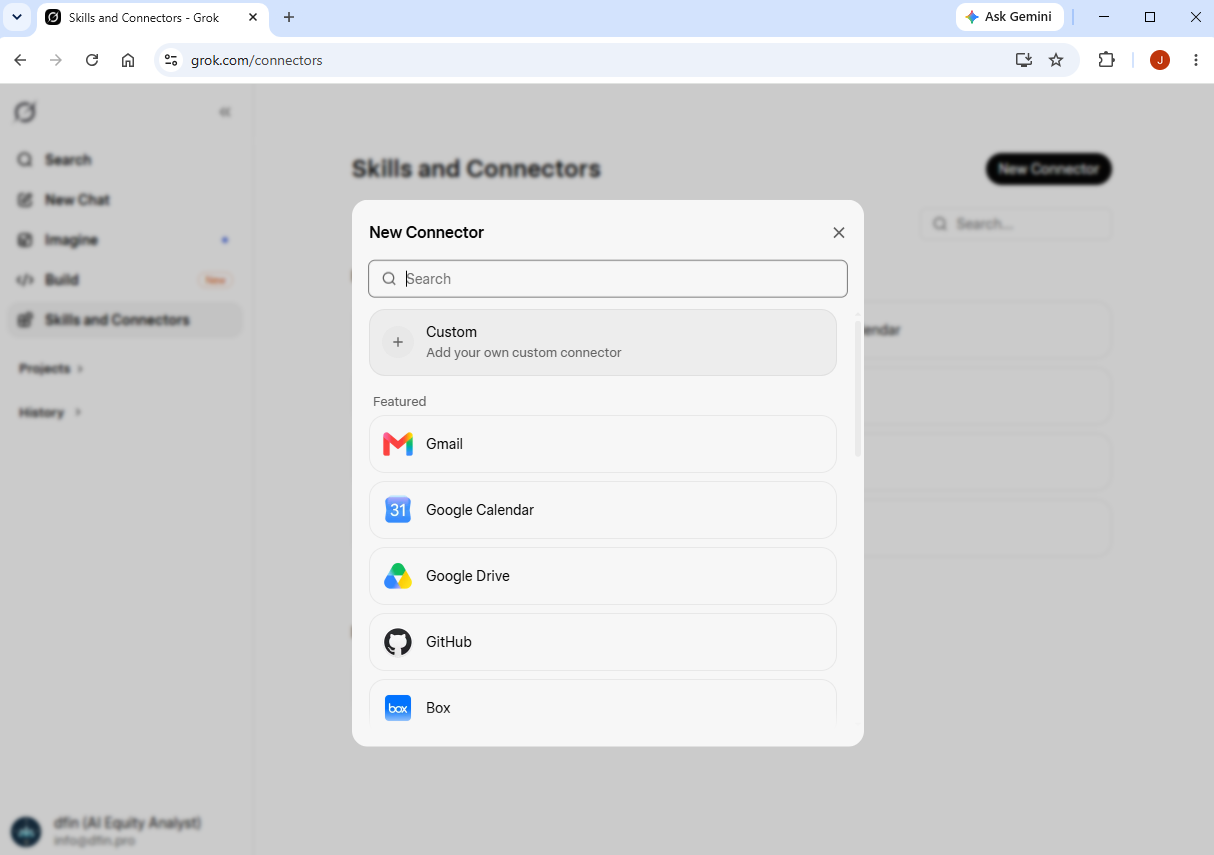
Choose Custom from the connector type options.
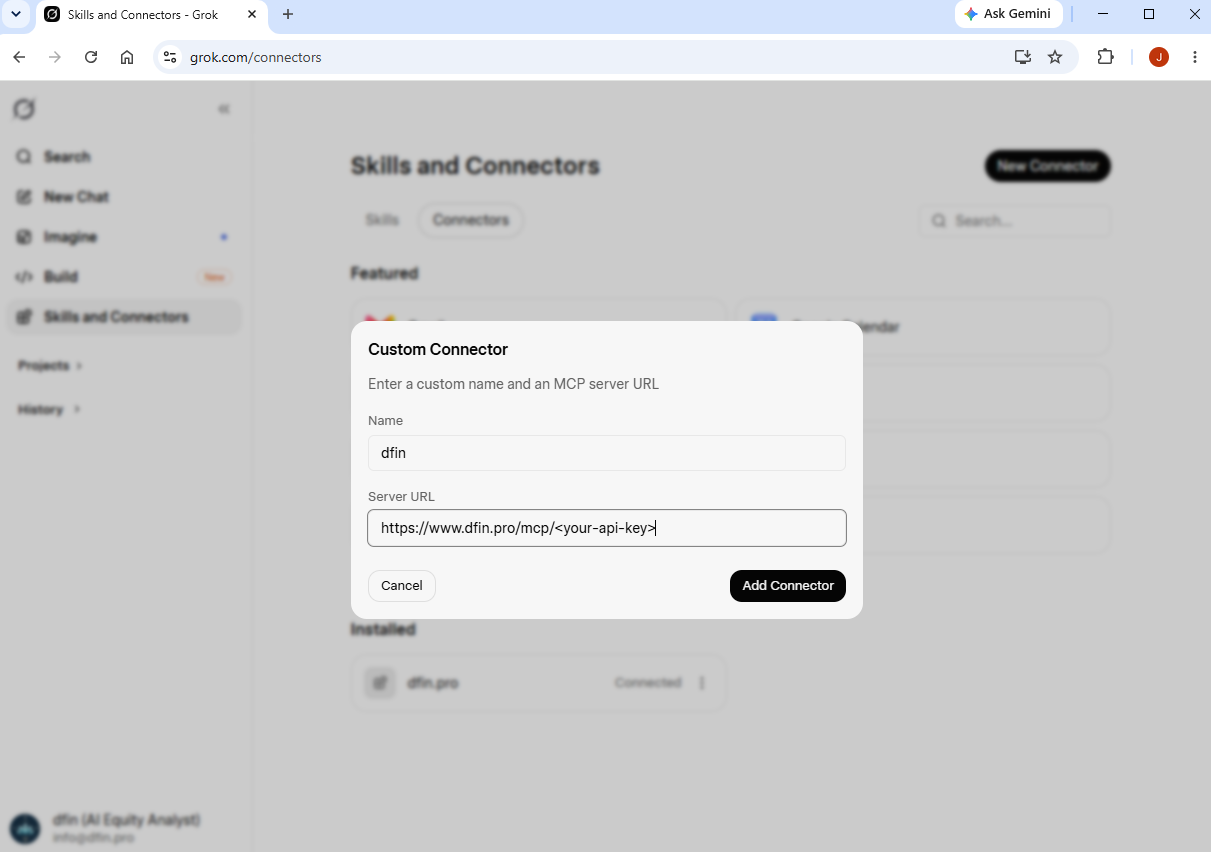
Fill in the connector details:
- Name: dfin
- Server URL:
https://www.dfin.pro/mcp/<your-api-key>
Then save the connector.
Test Run
Back in Grok, try asking a question that needs financial data, such as "What were Microsoft's revenue and margins over the last five fiscal years?" or "Compare Apple and Alphabet's recent earnings trends."
Grok should use the dfin connector when the answer needs current dfin.pro data. However if it is a bit temperamental, ask it explicitly to use the dfin mcp to fetch the data.
If you run into any trouble during setup, reach out at [email protected].